Usage pacing for Claude Code
Are you burning faster than the clock?
Tokenometer puts one number in your menu bar: how fast you're spending tokens against how fast your session is running out. 1.0× is even. Above it you run dry before the window resets. Below it you're leaving capacity on the table.
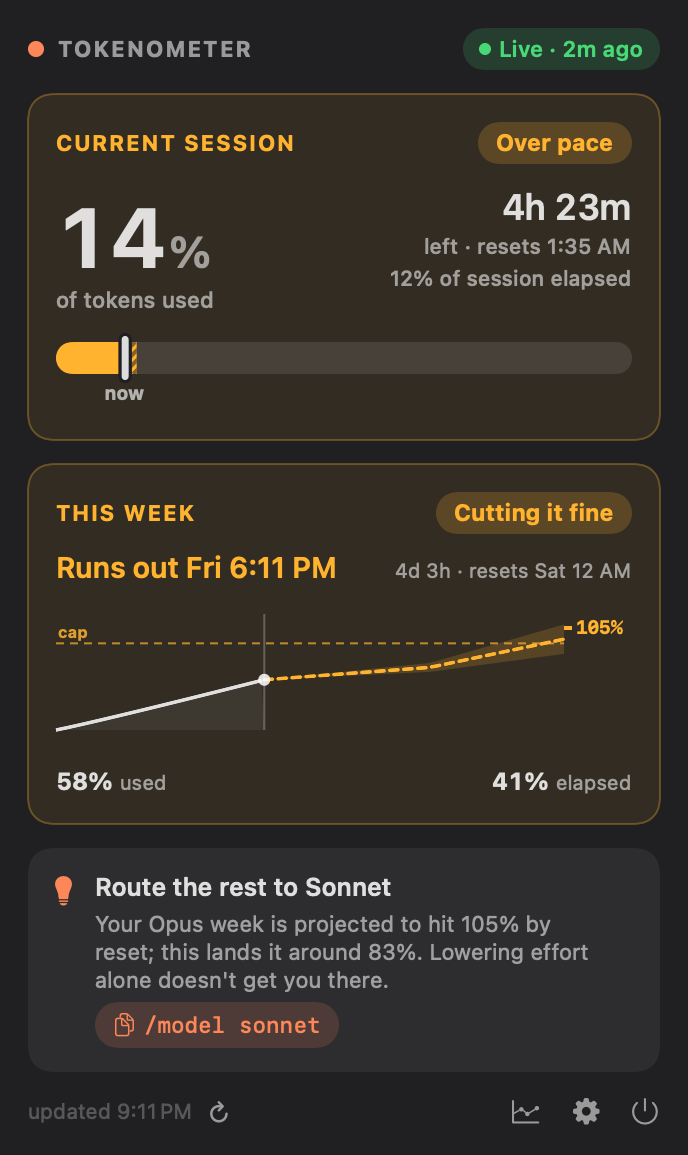
70% of the window's tokens in half its time. You run dry about 1h 26m before the reset.
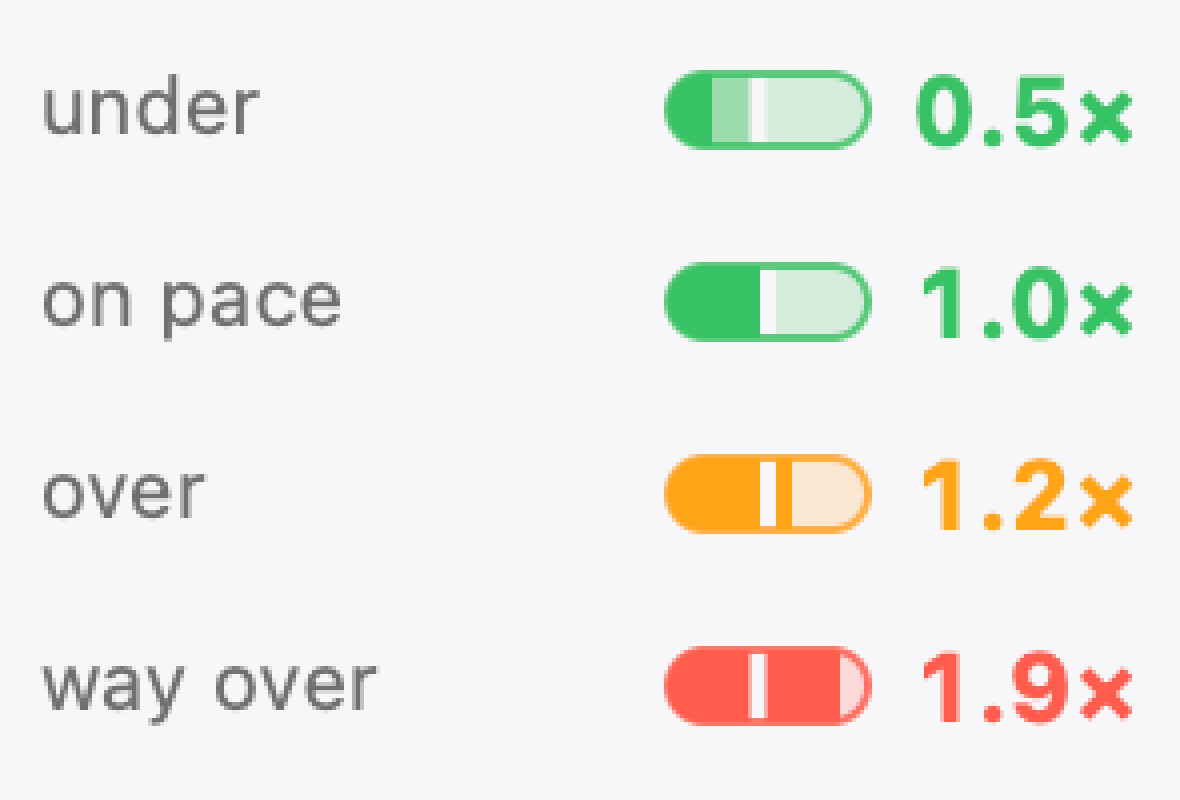
Pace is one bar read against the other — tokens spent divided by time elapsed. In the menu bar the same reading collapses into a single pill: the fill is tokens, the notch is time, and the number says by how much they disagree.
macOS 14 Sonoma or later · Universal · Free · No account
Drawn at every menu-bar refresh, in the bar itself.
Both ends of the scale are worth knowing.
Every other usage meter has one bad direction. This one has two useful ones: running hot means throttle back — fewer parallel sessions, lower effort, a cheaper tier. Running cold means you have headroom you paid for — turn the effort up, move to a stronger model, start a second session beside this one.
Current trend, weighted against how you've worked before.
The same question, seven days out.
Pace tells you about the next five hours. The weekly window is the one that actually ends projects. Tokenometer forecasts it by adding up the days still ahead of you — your current trend, corrected by what your past weeks actually looked like — and names the day you run out.
Running out is not a billing event. It is the middle of a refactor, on a Thursday, with the tests half-passing.
Runs out Fri 6:11 PM
2 days before the window resets.
The cone is the projection band — how wrong the forecast is allowed to be. The app picks the least disruptive change that lands inside the cap, and says so in words.
Read from the logs Claude Code already writes. Read-only.
It reads three windows, and tells you which one binds.
Your limits don't run on one clock. Tokenometer reconstructs each window from your session logs, forecasts them separately, and reports the one that will stop you first — usually not the one you were watching.
| Window | Length | Sample reading | Verdict |
|---|---|---|---|
| Session | Rolling 5 hours | 14% | Over pace |
| Weekly | 7 days | 58% | Cutting it fine |
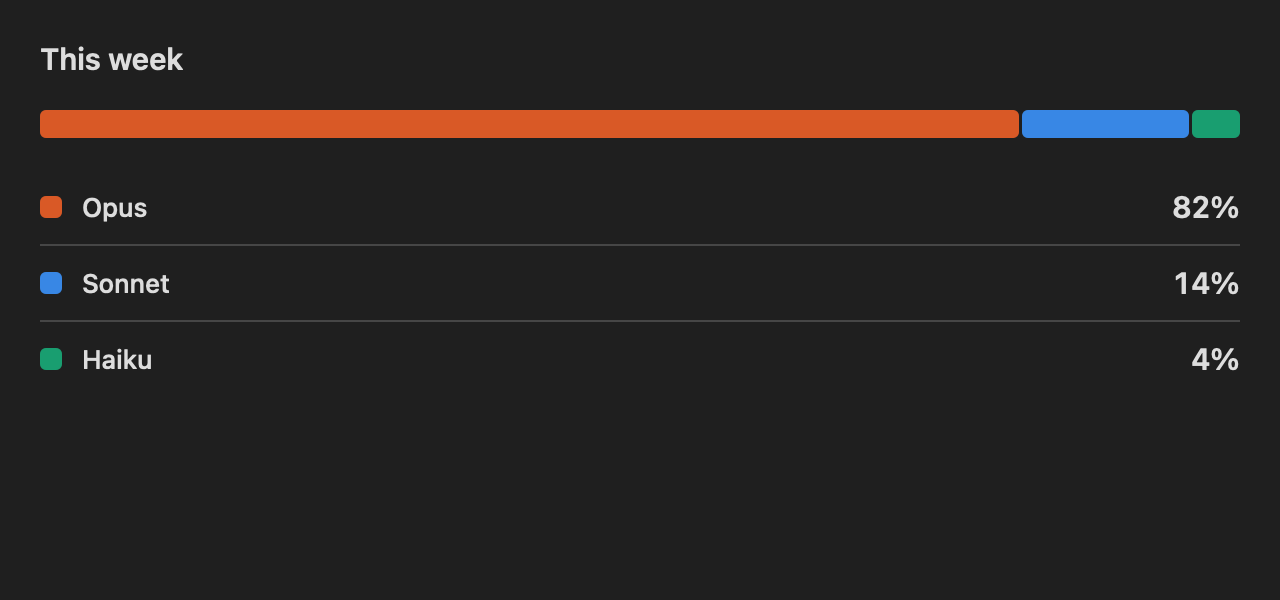
| Weekly, Opusbinding | 7 days | 82% | Runs out Friday |
A baseline, not an average
The forecast is built from how you actually work — your own burn rate, day by day, added up across the days still ahead of you.
A band, not a point
Every projection carries its own uncertainty. A forecast without one is a guess wearing a suit, and it will be wrong at the worst possible moment.
Calibrated against real resets
When Claude Code reports a limit or a reset, the app anchors to it — so the estimate is corrected by ground truth rather than drifting.
Searched over model × effort, every reading.
The advice is searched, not asserted.
Most meters stop at the warning. When a window is heading past its cap, Tokenometer prices every change you could make — each model tier against each effort level — and returns the least disruptive one that actually lands inside the limit. Changing which model answers you counts as a bigger ask than changing how hard it thinks, and the search knows it.
| What it considered | Disruption | Lands at |
|---|---|---|
| Leave everything alone | 0 | 105% |
| Lower effort one step | 1 | 101% |
| Route the rest to Sonnetchosen | 2 | 83% |
| Sonnet, and lower effort | 3 | 74% |
Lower numbers are less disruptive. The app takes the cheapest row that clears the cap — not the safest one.
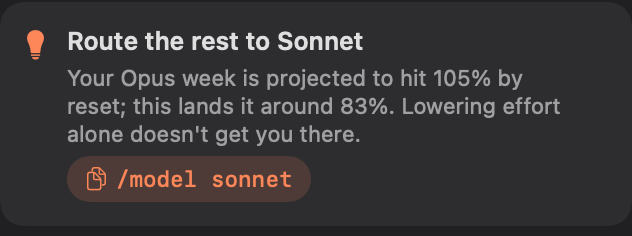
A colour you read at a glance; a popover when you want the detail.
Warnings early enough to be worth having.
Two alerts, for two different questions. Pace escalates through advisory, heads-up and critical — with hysteresis, so hovering at a threshold doesn't buzz you four times. Level fires once as each window crosses 90%, 95% and 99%, then re-arms at the reset.
Level alerts deliberately require the optional gauge helper, so that they quote your account's real percentage instead of guessing from an estimate. An alert that cries wolf gets turned off, and then it protects nobody.
Optional, and reversible. It backs up settings.json before
its first change, and if you already had a status line it is
wrapped rather than replaced — yours still runs, and still prints.
Uninstalling restores the previous value verbatim.
There is no server. There is no code that could reach one.
Not a promise about what we'd never do with your data — a fact about what the application is able to do. Tokenometer imports no networking framework, ships no third-party SDK, and opens no connections. Everything it computes, it computes on your Mac.
- CollectedNothing. No account, no sign-in, no identifier, no analytics, no telemetry, no crash-reporting SDK. In App Store terms: Data Not Collected.
- ReadToken counts, timestamps, model names and effort levels. The parser skips your message content on every ordinary line — your prompts, your code and your file paths are never decoded at all.
- WrittenOne folder:
~/Library/Application Support/Tokenometer. Your Claude Code logs are opened read-only and never modified. - SharedNothing, with anyone. There is no third party in this product — including the fonts on this page, which are served from this domain rather than someone else's.
Get Tokenometer.
Coming to the Mac App Store. Until then it builds from source in one command, and ships as a notarized disk image.
| Requires | macOS 14 Sonoma |
| Architecture | Universal — arm64 · x86_64 |
| Reads | ~/.claude/projects |
| Third-party dependencies | None |
| Network connections | None |
| Price | Free |